
AI Video Repurposing: The Complete Guide 2026
Learn how to use AI video repurposing to turn one long video into multiple Shorts and TikToks. Complete workflow: clip detection, captions, metadata, publishing.
If you’re still editing Shorts and TikToks one-by-one, you’re spending your best creative hours on the slowest part of the job. AI video repurposing fixes that by turning one long video into a repeatable pipeline: find moments, cut clips, format for vertical, add captions, write metadata, publish, then improve what works.
This guide gives you a practical workflow you can use every week, whether you’re a solo creator, a small team, or a brand trying to post consistently without burning out.
🤖 What is AI video repurposing?
AI video repurposing is the process of using AI to turn one long-form video into multiple short-form clips for Shorts, Reels, and TikTok. It automates clip detection, trimming, auto captions, vertical formatting, and basic metadata, so you can publish consistently without editing every clip from scratch.
Why repurposing works in 2026
⏱️ Time saved
A long video already contains dozens of “postable moments.” AI video clipping and templated editing can cut your production time dramatically, especially for podcast-style episodes, tutorials, interviews, webinars, and commentary videos.
Instead of starting from zero for each short, you’re recycling your best raw material.
📊 Distribution math — one video isn’t enough
One long video is one distribution event. Ten short clips are ten distribution events. And those clips can point back to the original long-form piece, which:
- •Increases total watch time across your channel
- •Helps more people discover you
- •Feeds the algorithm with consistent publishing signals
🔄 Consistency without burnout
Consistency is hard when every clip is handcrafted. A content repurposing workflow makes output predictable: record once, publish many.
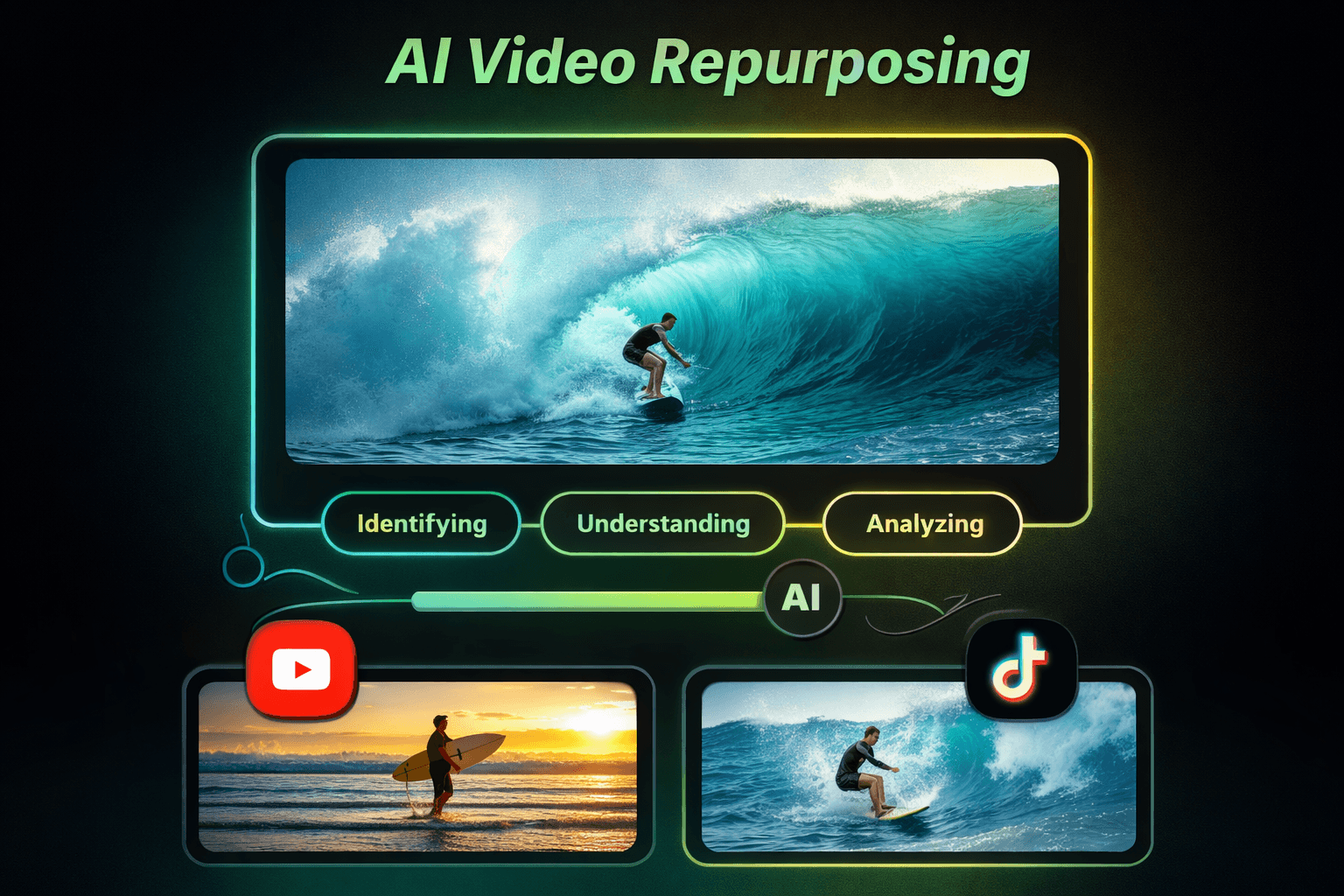
What you can actually expect to ship with AI in 2026
Clips (long-form to short-form)
AI helps you detect “high-energy” or “key point” moments, cut multiple clips in batches, trim dead space, and tighten pacing.
Captions (auto captions)
Auto captions are table stakes now, but good tools also handle punctuation and line breaks, emphasis styling, and speaker-aware formatting (when relevant).
Titles
AI can generate multiple hook options — curiosity titles, benefit-first titles, and more, so you can test more angles without rewriting everything.
If you want to generate title variations quickly, try our free tool: AI Video Titles Generator
Descriptions
Descriptions help discovery and reduce “out of context” comments because they set context quickly and include searchable phrases naturally.
For YouTube Shorts discovery, keywords still matter — use our YouTube Keyword Generator to find terms people actually search for.
Thumbnails for Shorts
Thumbnails matter less than for long-form, but they still help in certain discovery surfaces and when repurposing for other platforms.
Scheduling
A good workflow that batches content weekly: generate 8–12 clips in one session, schedule 3–5 posts per week, and review analytics every Sunday to decide what to repeat.
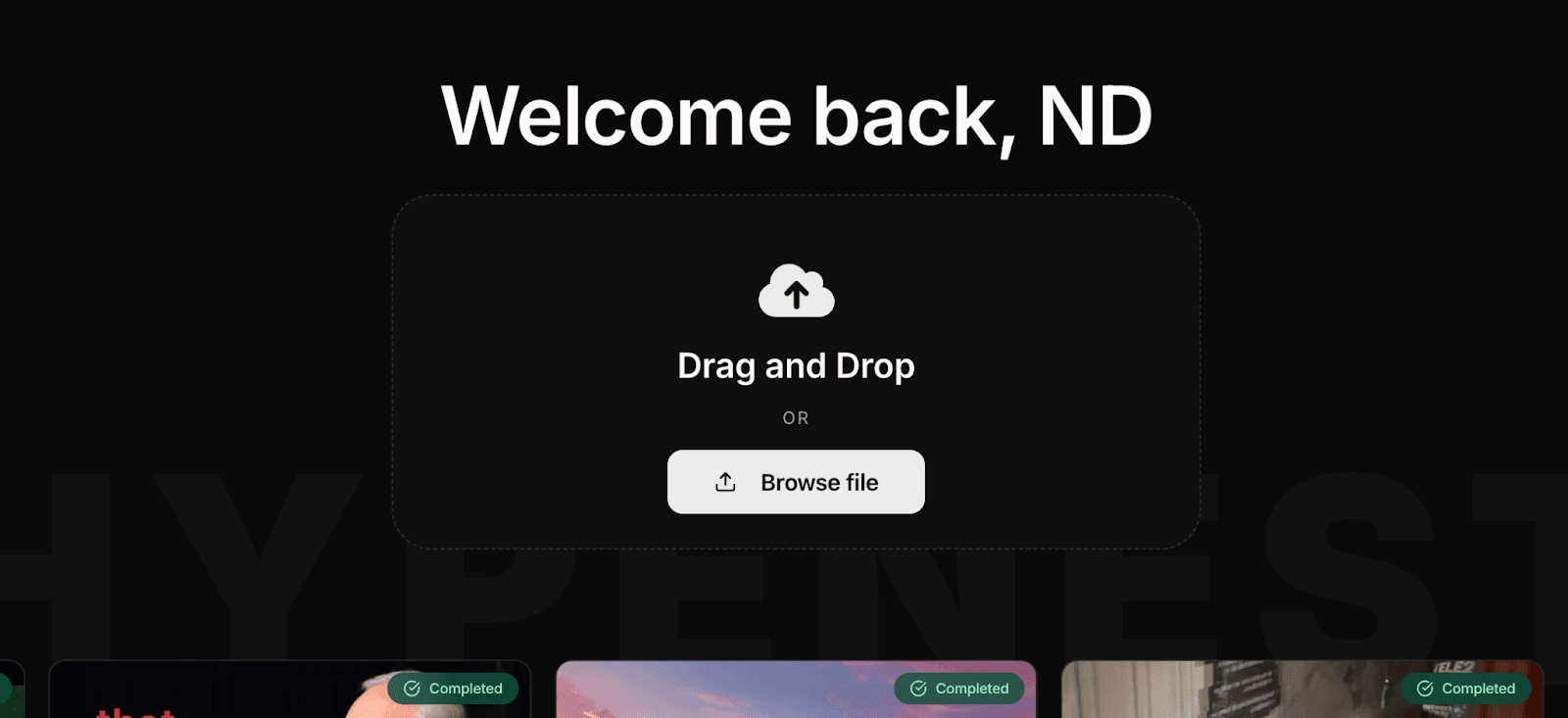
3 Step AI Workflow for Video Repurposing
1Choose the source video
Upload the long-form video you want to repurpose — for example, an .MP4 screen recording, podcast, or tutorial.
In Hypenest:
- •Drag and drop your file into the upload area or click Browse file.
- •After you select a file, Hypenest shows a quick summary and the credit cost (example: 1:20 video = 7 credits).
- •Click Upload to start processing.
2Use AI clipping to detect moments
Open the project you just created after the upload finishes. Your video will appear as a completed project, ready for clipping and publishing setup. Pick the best clip candidates. Make quick edits before publishing: title, description, schedule, privacy, and tags.
In Hypenest:
- •Go to “All projects”. Look for the card marked Completed.
- •Correct title, description, privacy, and tags if needed.
- •Note the label like “Expires in 2 days” — that’s your reminder to publish while the project is still available.
3Schedule your Shorts for publishing
Connect your channel and publish your scheduled content. Not sure when to post? Use our guide Best time to post on YouTube and TikTok to choose a consistent window for your Shorts, then refine it based on your analytics.
Popular AI video repurposing tools and how to choose
There are a lot of AI video tools now, and most overlap on the basics: clipping, captions, resizing, and exports. The difference is workflow — how fast you can go from “long video” to “scheduled posts” without juggling five apps.
Some well-known options people compare include OpusClip, 10LevelUp, Spikes Studio, Vidyo.ai, Klap, and ClipGen. Each has its own strengths — some focus on podcasts, some on auto-reframing, some on scheduling.
When you’re choosing a tool, ask:
- Does it reliably find good moments or dump 30 random clips?
- How fast can you review and tweak clips?
- Can it help you publish consistently?
If your goal is a repeatable system, the best setup is usually hybrid: let AI do the heavy lifting (clip drafts, captions, reframing), then do a quick human pass so clips feel intentional and not out of context.
Hypenest vs. competitors
Most AI repurposing tools can “make clips.” The real difference is how much work you still have to do after the first draft. Hypenest is built to reduce the annoying parts of the workflow — finding usable moments, keeping the speaker framed correctly, and getting clips ready to publish without bouncing between tools.
Better clip selection
Hypenest uses scene detection and speaker identification to pull moments that feel intentional — not like chopped-up fragments. That means fewer “why does this start here?” clips and more segments that actually have a hook + payoff.
A smoother path from clips → publishing
Hypenest is designed around a simple flow: upload → generate → pick winners → edit → publish. You can also set publish times inside the project so you’re not doing everything manually at the last minute.
Pricing that’s easier to start with
A lot of tools lock the useful features behind higher tiers. Hypenest starts with a free plan so you can test your workflow first, then upgrade when you’re posting consistently.
Hypenest pricing
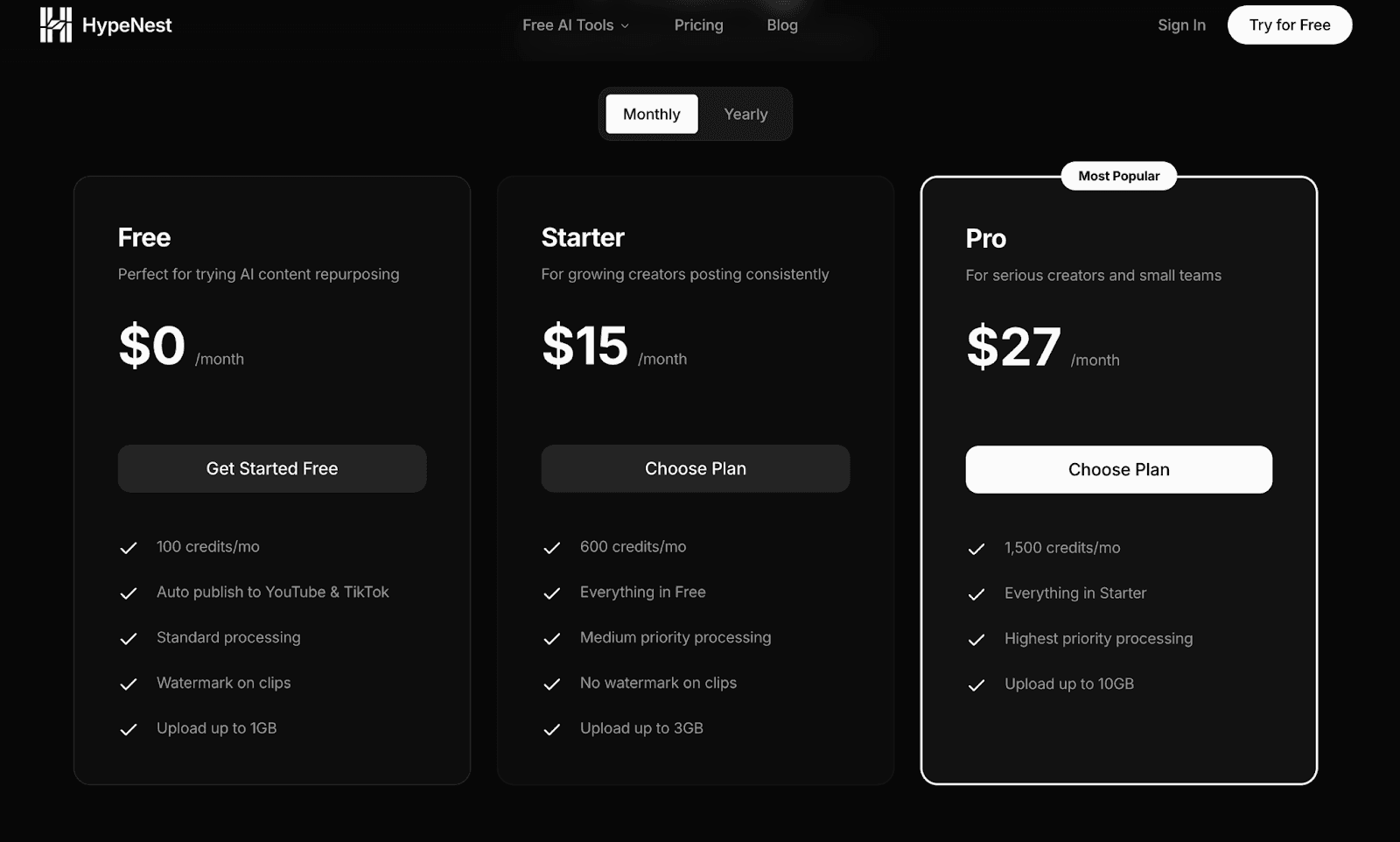
Hypenest pricing starts with a free plan, so you can test AI video repurposing without paying upfront. Then, if you want more credits, faster processing, and no watermark, you can upgrade. Hypenest also has a referral program — you can invite friends and earn extra credits, which is a simple way to extend your output without upgrading right away.
| Plan | Price | Credits | Upload Limit |
|---|---|---|---|
| Free | $0/month | 100 credits/month | Up to 1GB |
| Starter | $15/month | 600 credits/month | Up to 3GB |
| Pro | $27/month | 1,500 credits/month | Up to 10GB |
+ Bonus: referral credits • Auto publish to YouTube & TikTok included on all plans
Frequently Asked Questions
What is AI video repurposing?
AI video repurposing is the process of using AI to turn one long-form video into multiple short-form clips for Shorts, Reels, and TikTok. It automates clip detection, trimming, auto captions, vertical formatting, and basic metadata.
How much time can AI video repurposing save?
AI video clipping and templated editing can cut your production time dramatically. A typical workflow generates 8–12 clips in one session, compared to hours of manual editing.
What types of videos work best for repurposing?
Podcast-style episodes, tutorials, interviews, webinars, and commentary videos work exceptionally well. Any content with clear segments or key moments is ideal for AI clipping.
How is Hypenest different from other tools?
Hypenest uses scene detection and speaker identification to pull intentional moments. It offers a simple flow from upload to publish, and starts with a free plan so you can test before committing.
Can I publish directly to YouTube and TikTok?
Yes. Hypenest offers one-click publishing to both YouTube Shorts and TikTok. You can also schedule posts for optimal engagement times.
Final Thoughts
If you want to repurpose video content in 2026 without living in your editor, the strategy is simple: build a repeatable workflow. Record once. Generate clips in batches. Choose winners. Publish consistently. Improve what performs.
And if you want an easier way to run that workflow end-to-end, use Hypenest for AI video repurposing and keep your content engine moving.
Ready to automate your content workflow?
Upload once. Get clips, thumbnails, titles, and descriptions. Publish to YouTube and TikTok with one click.